🎛 Systemd service · arm64 / amd64 · Port 8090

Cruise Control

Inbound bandwidth throttle for GB10-class machines. Browser-based presets, instant apply, live RX/TX display — no SSH required after install.

Install GitHub → Releases →
curl -fsSL https://raw.githubusercontent.com/mcglothi/cruise-control/main/install.sh | sudo bash
Detects arch · installs deps via apt · auto-detects NIC · starts service
# Download from Releases, then: sudo dpkg -i cruise-control_<version>_arm64.deb
config.json is a dpkg conffile — preserved across upgrades Releases →
sudo mkdir -p /opt/cruise-control sudo cp app.py config.example.json /opt/cruise-control/ sudo cp cruise-control.service /etc/systemd/system/ # edit THROTTLE_IFACE in the service file, then: sudo systemctl daemon-reload && sudo systemctl enable --now cruise-control
See README for interface detection and env var reference

Features
What you get
⬇️
Ingress limiting
Shapes inbound traffic via Linux tc + IFB — the only way to actually cap model download speeds. Egress-only tools don't work here.
⚡
Instant apply
Preset changes take effect in under a second. No service restart, no network interruption, no dropped connections.
📊
Live stats
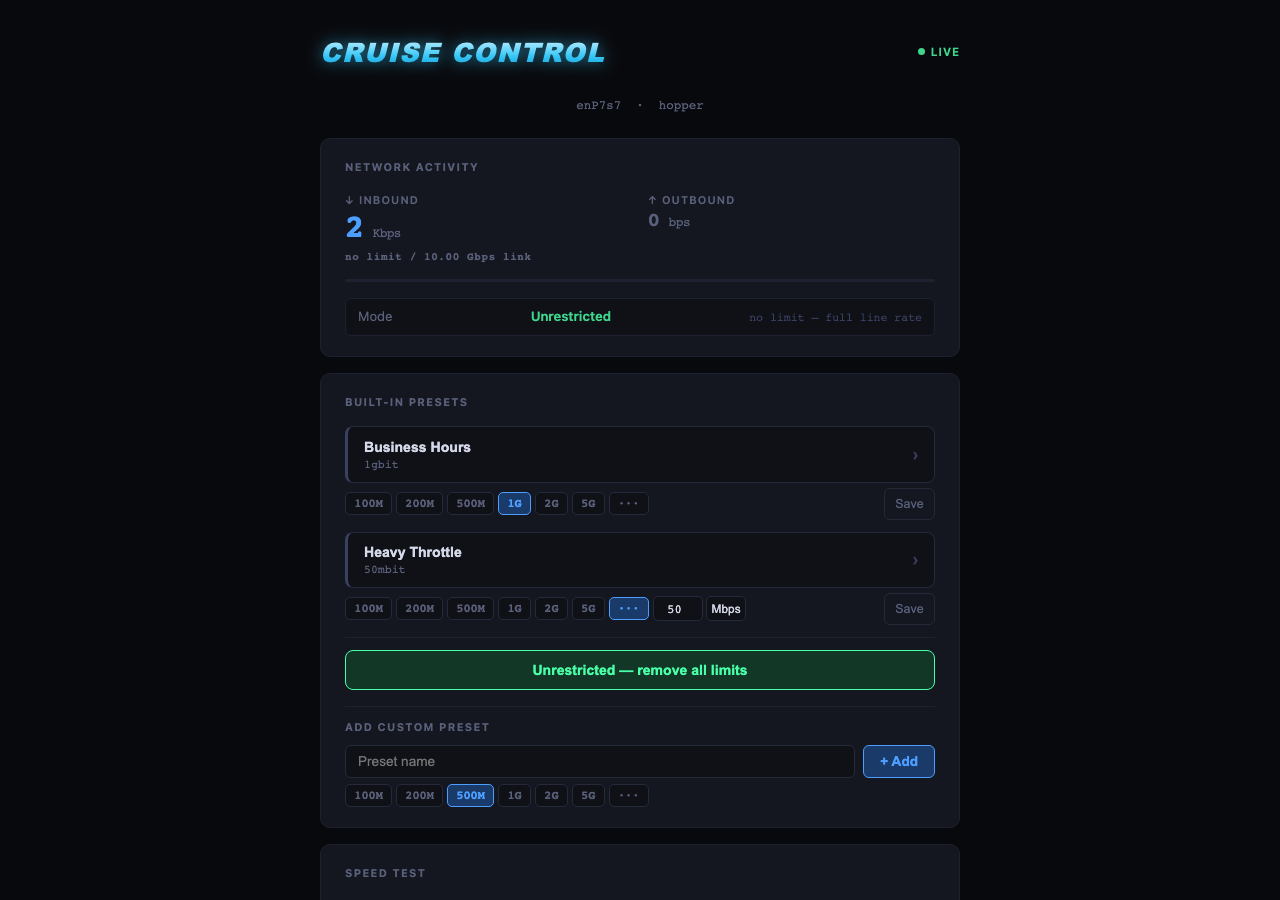
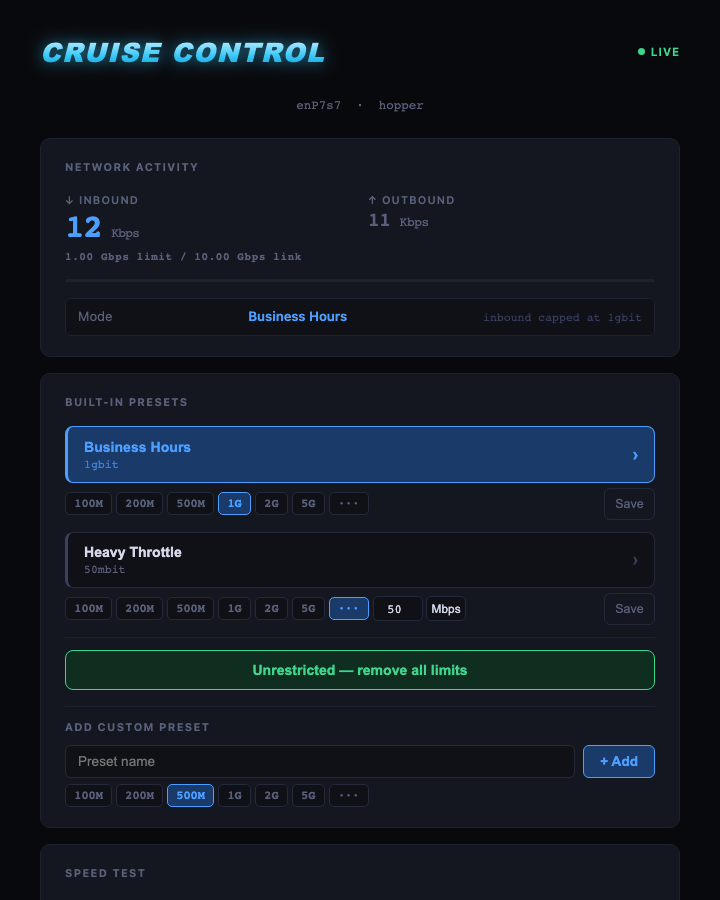
RX/TX speeds direct from kernel interface counters, updated every second. Limit and link speed shown inline.
🎛
Named presets
Built-in presets for Business Hours and Heavy Throttle. Add named custom presets for any event — rates persist across reboots.
🧪
Built-in speed test
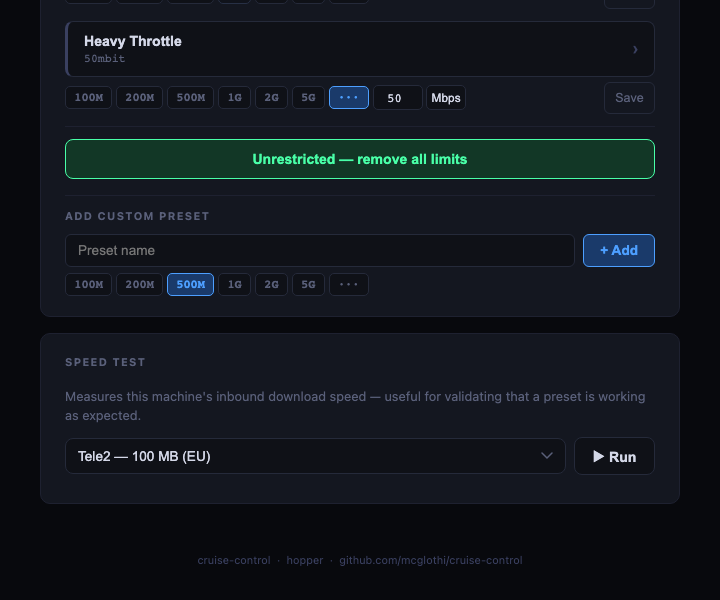
Download a test file from Tele2, Hetzner, or your own internal server. Confirms a preset is actually working, not just applied.
♻️
Clean teardown
ExecStop removes all tc rules on service stop. A crash or reboot never leaves a stale rate limit in place.

Internals
How it works

Linux tc can only queue egress natively. Model downloads are ingress. Cruise Control bridges this with IFB — a kernel virtual interface that redirects inbound packets to an egress queue where HTB can shape them.

incoming traffic ↓ enP7s7 ingress → tc mirred redirect → ifb0 egress → HTB rate limit ↓ packet delivered
When you apply a preset
  1. modprobe ifb loads the IFB kernel module
  2. Virtual ifb0 interface is created and brought up
  3. tc ingress qdisc added to real interface
  4. tc filter redirects all inbound packets to ifb0
  5. HTB qdisc on ifb0 enforces the rate limit
When you clear
  1. ingress qdisc and filter removed from real interface
  2. HTB qdisc removed from ifb0
  3. ifb0 taken down and deleted
  4. Traffic flows at full line rate immediately

Requirements
What you need
RequirementNotes
Linux arm64 or x86_64Tested on Ubuntu 22.04 / 24.04 on NVIDIA GB10
Python 3.8+Standard on all target systems
python3-flaskAuto-installed by online installer
iproute2Ships with Ubuntu — provides tc and ip
kmodFor modprobe ifb — ships with Ubuntu
Root / sudoRequired for tc and ip link commands

Operations
Service management
# Status
sudo systemctl status cruise-control
# Live logs
sudo journalctl -u cruise-control -f
# Restart after editing service file
sudo systemctl daemon-reload && sudo systemctl restart cruise-control
# Uninstall
sudo dpkg -r cruise-control
Config lives at /opt/cruise-control/config.json and is preserved across upgrades. Set THROTTLE_IFACE in /etc/systemd/system/cruise-control.service for non-default interfaces.

Cruise Control — full UI showing live stats, presets, and speed test Active throttle — Business Hours preset applied at 1 Gbps Speed test panel and custom preset form